App Store
TickerTape
github.com/juanmmm21/Tickertape
A currency converter dressed as a Solari split-flap board.
- Source
- Showcase repository — the app’s code lives in a private repo
- Commits
- 13
- Started
- 9 Feb 2026
- Last commit
- 24 Jun 2026
- 01
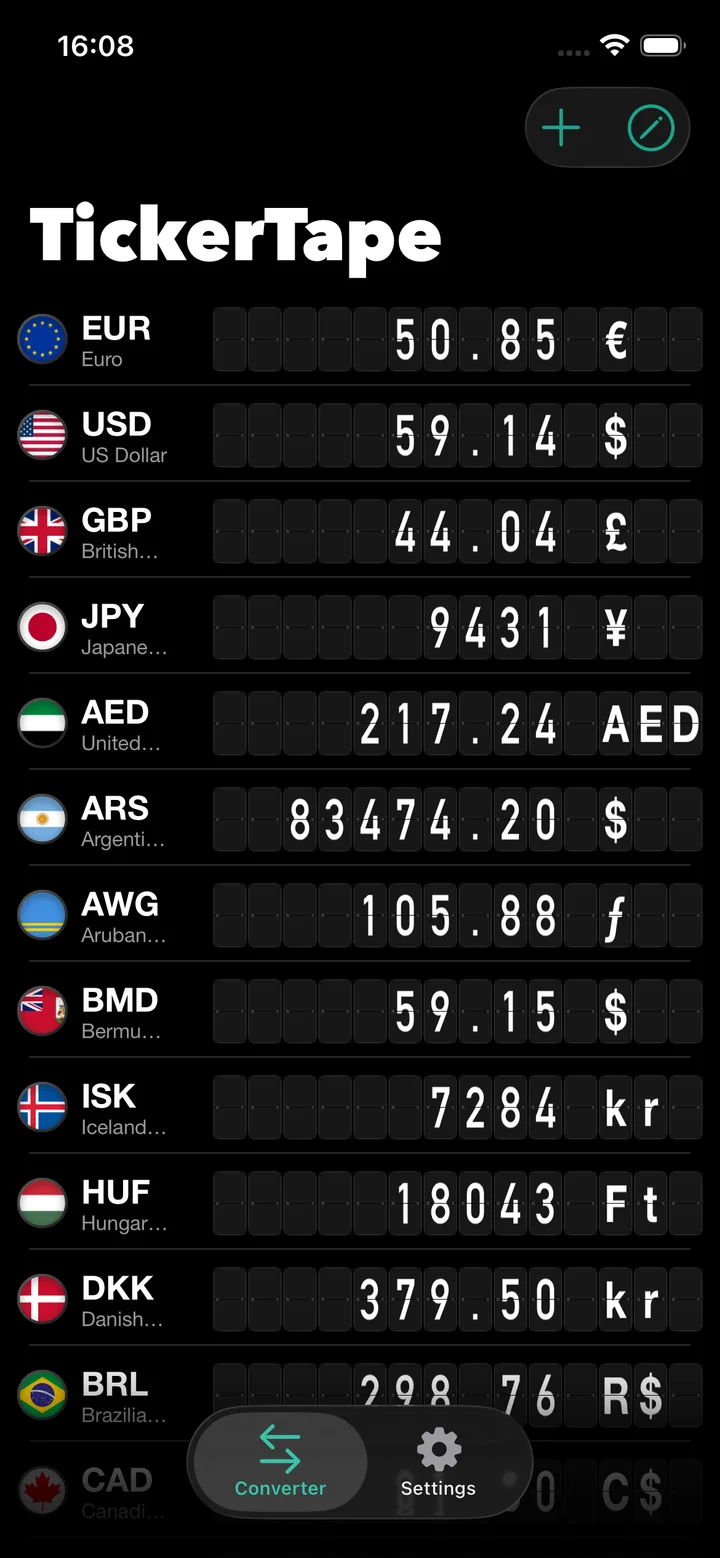
Split-flap cards with simulated 3D physics and sequential mechanical clicks as values change.
- 02
DIN Alternate stretched vertically for extreme, industrial legibility.
- 03
A fixed, symmetrical ten-slot layout with a retro truncation indicator for long values.
- 04
Version 2.0: a total redesign in warm dark tones, with light and dark modes.
README · 3 min read
Commits per week
TickerTape is a premium, minimalist iOS currency converter. Its interface design is inspired by the nostalgic, industrial aesthetics of mechanical split-flap (Solari) boards traditionally found in classic European train stations and airports, transforming a daily utility into a unique visual and tactile experience.
Version 2.0.0 introduces a total redesign of the graphic interface and user interaction model, adopting an elegant look in warm dark tones with comprehensive native support for both Light and Dark Modes.
Screenshots
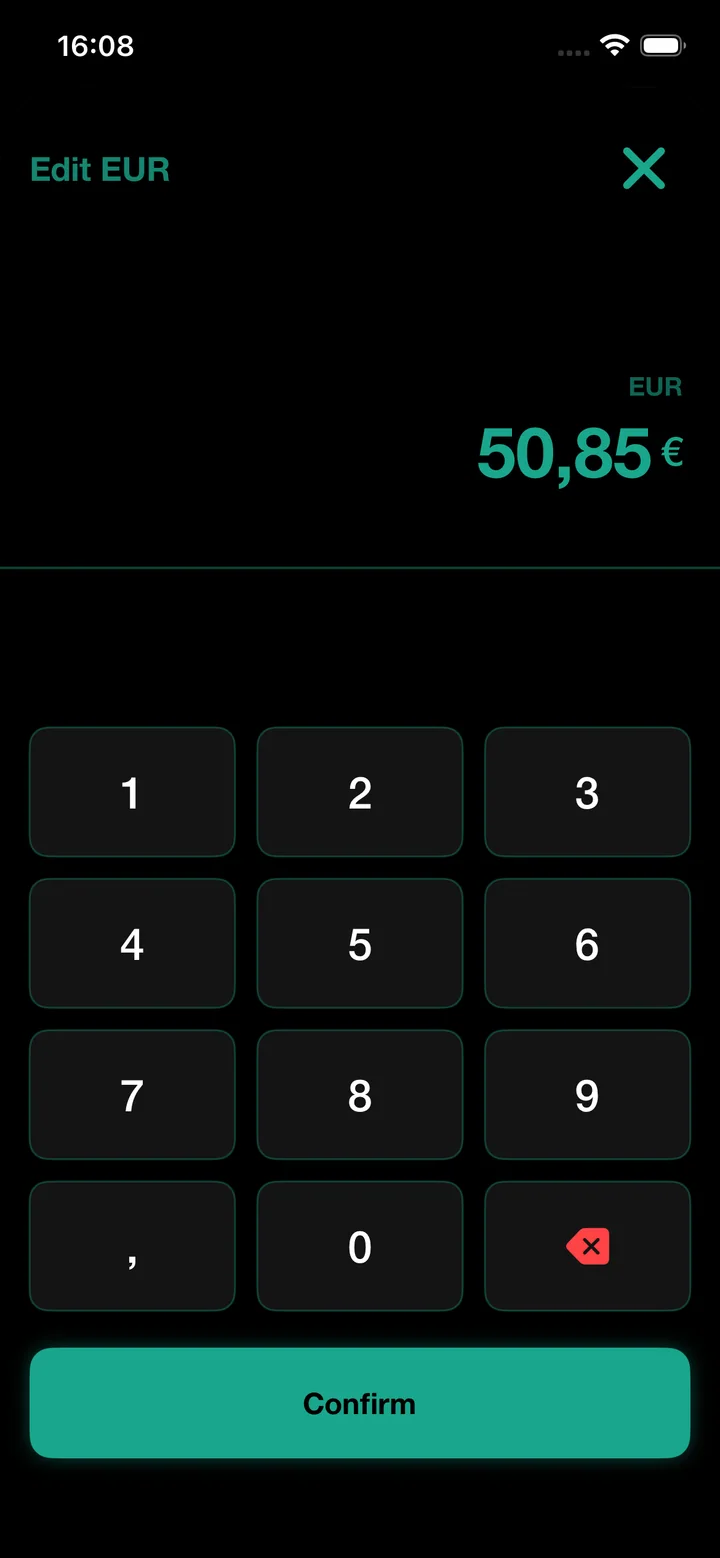
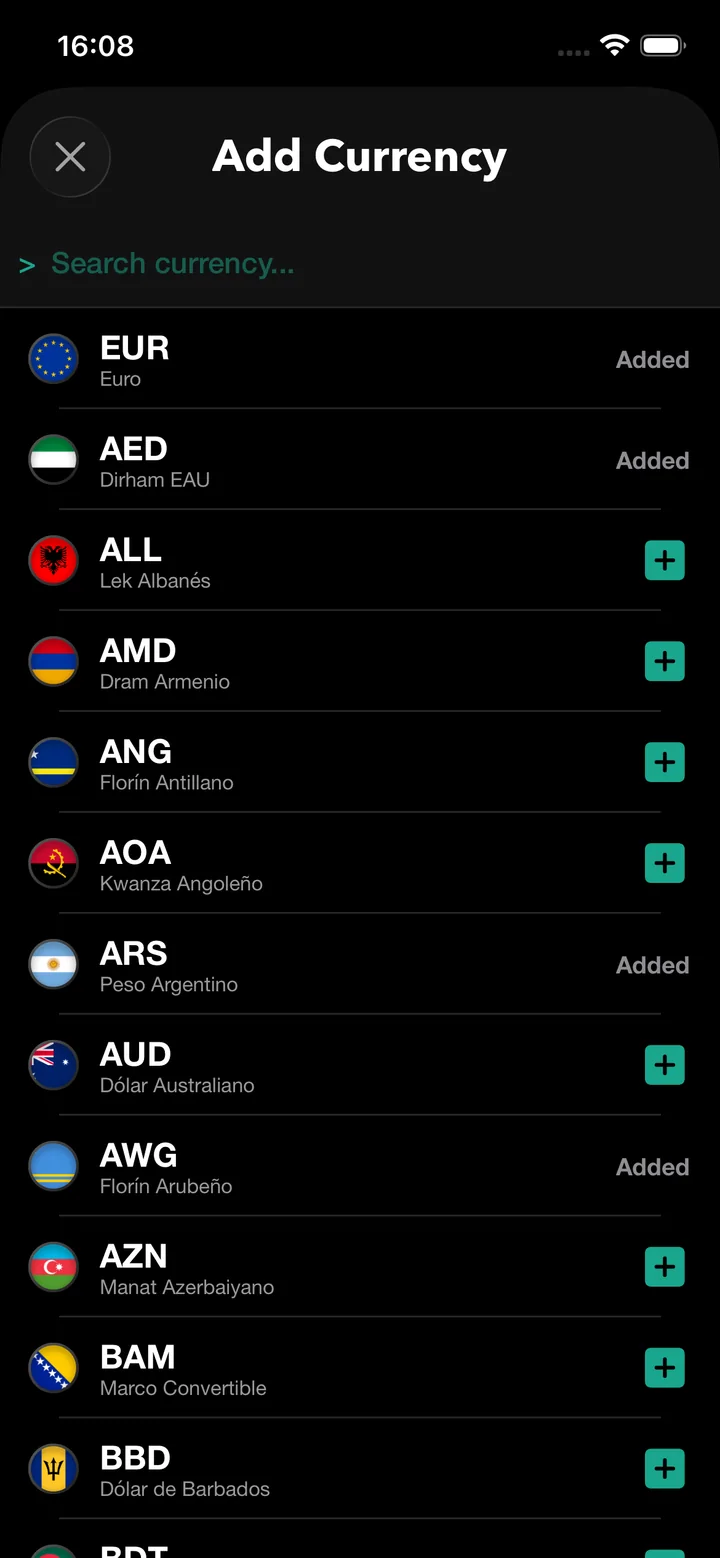
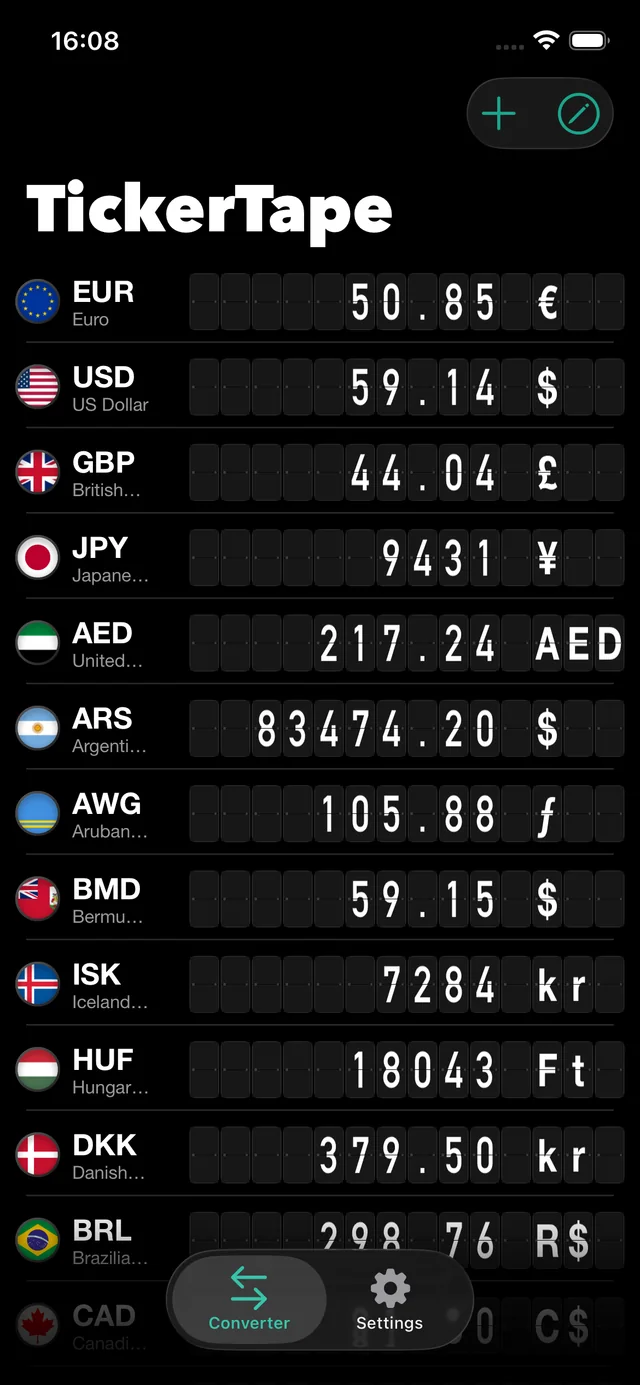
| Main Converter | Add Currency | Calculator |
|---|---|---|
 | 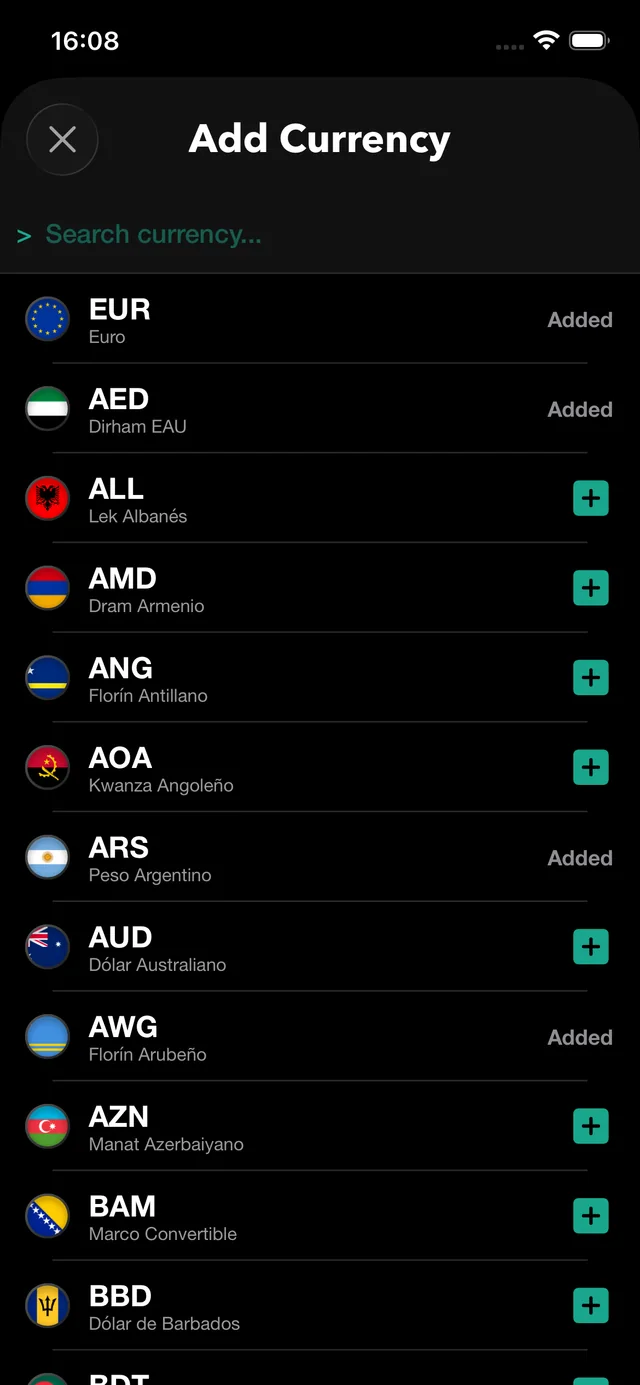 | 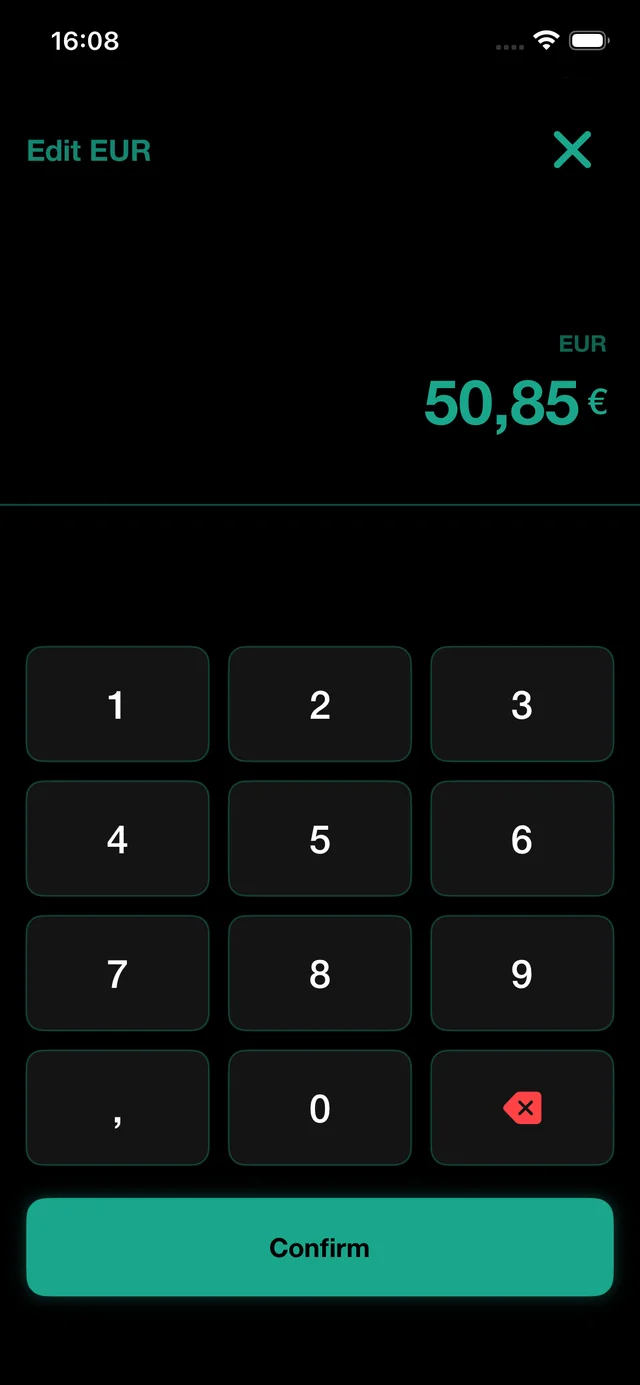 |
Main Features
1. Interactive Solari Split-Flap Board
- Realistic Physics and Sounds: The card segments flip with simulated 3D physics and trigger sequential mechanical clicking sounds as values change, faithfully recreating the feel of vintage flap boards.
- Industrial Grotesque Typography: Built using the
DINAlternate-Boldtypeface stretched vertically (.scaleEffect(y: 1.15)) for extreme legibility and a retro-industrial aesthetic.
2. Symmetrical Card Layout
- The digit card slots of all currency rows maintain a fixed, symmetrical width of exactly 10 slots.
- The currency symbol cards are displayed statically on the right side, left-aligned inside exactly 3 card slots.
3. Interactive Long Number Viewer (Hotfix v2.0.1)
- If a conversion value exceeds 10 digits, the 10th card displays a retro truncation indicator (
>). - A mint green info icon
(i)will automatically appear next to the currency code. - Tapping this icon triggers a haptic impact and presents a native alert containing the complete un-truncated number with all decimals, along with a direct action to copy it to the clipboard.
4. Dynamic Theme Engine (Light & Dark Modes)
- The application automatically adapts to your system theme, or allows manually selecting Light or Dark mode.
- In Light Mode, the Solari card flaps adopt a subtle off-white shade with dark charcoal text, creating a beautiful contrast on clean backgrounds.
5. Native iOS Gestures & Smooth Transition
- Migrated the listing mechanism to a native SwiftUI
Listcontainer. - Native support for dragging rows to reorder lists and swiping to delete items (swipe-to-delete).
- Card modules automatically hide with a scale and opacity animation when entering edit mode, ensuring rows never expand vertically or squeeze.
6. Smart Ad Placements & StoreKit Store
- Interleaved Ad Banner: The advertisement banner automatically anchors at position 6 (index 5) for lists with 5 or more items, and is completely hidden during edit mode to prevent any reordering layout interruptions.
- Dynamic Pricing: Fully integrated with StoreKit 2 to query Apple App Store servers and show dynamic, localized premium pricing in the user's account currency.
Tech Stack
- Language: Swift 5.9+
- Framework: SwiftUI (SwiftUI native App life cycle)
- Architecture: Clean MVVM (Model-View-ViewModel)
- Localization: Native support for 6 languages (Spanish, English, French, German, Italian, and Portuguese).
- Framework Dependencies:
StoreKit 2(In-App Purchases)GoogleMobileAds(AdMob - Banner & Interstitial ads)UIKit / AudioToolbox(Haptic feedback engine & split-flap sound playback)
Architecture
TickerTape follows a clean MVVM pattern to ensure testability and separation of concerns.
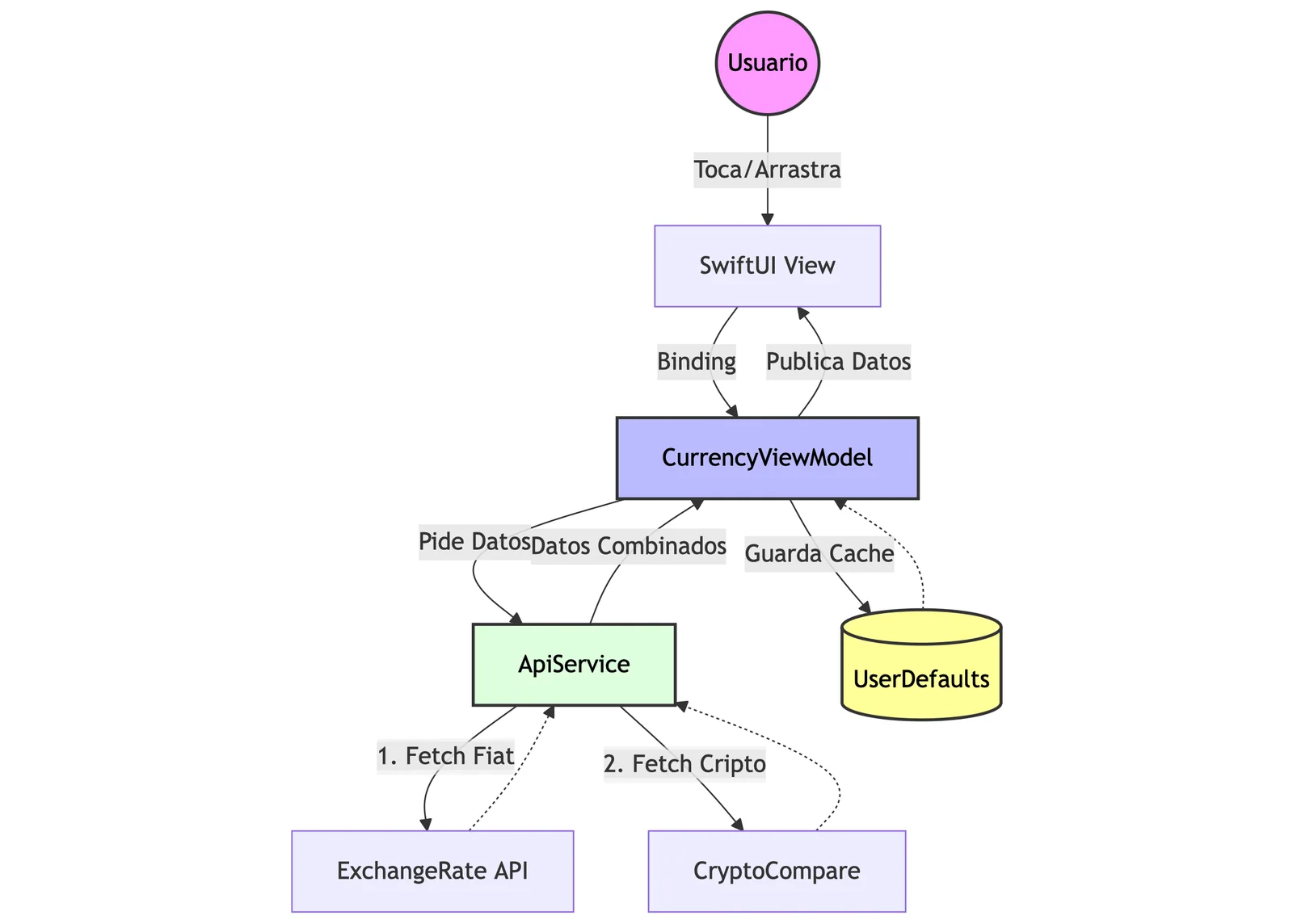
- Views: (e.g., ContentView, CurrencyRowView) Handle layout and user input only.
- ViewModels: (e.g., CurrencyViewModel, StoreManager) Handle business logic, calculations, and state management.
- Services: (ApiService) Abstract the networking logic, handling errors and data merging.
License
This project is licensed under the MIT License